1. How do I stop missing the doorbell?
Replace or add to the doorbell so it reaches you in a way you'll notice.
RNID's doorbell guide describes several types:
- Extra loud doorbells, up to 100 decibels
- Flashing doorbells, usually wireless, with plug-in receivers that flash when someone presses the button
- Vibrating pagers, a small receiver you wear or carry that vibrates when the bell is pressed
- Smart or video doorbells, which connect to your Wi-Fi and send an alert to your phone
- Sound detector add-ons, which listen for your existing chime and trigger an accessible alert, handy if you rent
Think about where you actually are when parcels come. A flashing receiver in the lounge is no use if you're in the garden. A pager or a phone alert goes with you.
Put extra receivers in the rooms you use most, including the kitchen and wherever you work.
2. Is a video doorbell a good idea if I'm deaf?
Often, yes.
A video doorbell sends a notification to your phone when someone presses the button. If your phone buzzes on your wrist through a smartwatch, that's another way to feel it. You can see who's there before you go to the door, which helps with safety too.
Check two things before you buy. First, how notifications work: some need the phone's sound on, so test it with vibration and flash alerts. Second, whether the two-way talk feature is any use to you. Many people find it easier to wave and open the door than to listen through a small speaker.
Some phones also have built-in sound recognition that can listen for certain sounds and notify you. It's worth exploring in your phone's accessibility settings, but treat it as a back-up rather than your only alert.
3. Can I get a deaf doorbell from the council?
You might.
RNID says you may be able to get help with the cost of an accessible doorbell from your local council's sensory support team, and that the council should do an assessment to find out what support you need.
In England, ask your council's adult social care team for a needs assessment. The NHS says that equipment and small adaptations to your home will be provided free if you're assessed as needing them. Arrangements are different in Scotland, Wales and Northern Ireland, so ask your council what it offers.
"I'm deaf and I can't hear my doorbell. Please can I have an assessment from your sensory support team?"
If you don't know which council covers you, GOV.UK has a postcode finder.
4. What should I write in delivery instructions?
Most retailers and courier apps let you save a delivery note. Write one that works for every company and paste it everywhere.
"Deaf: I can't hear the bell or calls. Please knock firmly and wait, or text when outside."
If you have a flashing or vibrating doorbell, say so, and tell them to use the bell:
"Deaf: please ring the bell (it flashes) and wait a minute."
Keep it short. Drivers read these on a small screen, often in a hurry.
Add your mobile number and choose text or app notifications rather than phone calls wherever there's a choice. If you find calls hard in general, our guide to phone calls for deaf people covers the alternatives.
5. What if the courier phones instead of texting?
It happens, even with a clear note.
Reply by text straight away: "I'm deaf, please text. I'm at home, knock firmly." Then go and look out of the window.
Use the courier's app or tracking page to change the delivery where you can. Many let you pick a safe place, a neighbour or a pick-up point without speaking to anyone.
If a company repeatedly ignores your note, contact the retailer you bought from. They hired the courier, so it's their job to pass it on.

6. Should I use a safe place, a locker or a neighbour?
For many deaf people, the easiest delivery is the one that doesn't need the door at all.
Safe places. Choose a spot in your account settings. Royal Mail describes a safe place as a secure, weatherproof area of the property that is out of sight. A lockable parcel box by the door is another option.
Lockers and pick-up points. Lockers in supermarkets, stations and petrol stations let you collect with a code, no conversation needed. Shop pick-up points are useful too.
A trusted neighbour. Agree it with them first, then name them in your delivery preferences.
Royal Mail missed deliveries. If you miss a Royal Mail parcel, the postie leaves a "Something for You" card. Royal Mail says it will automatically try again the next working day, and you can rearrange delivery, including to a neighbour or a local Post Office, using its app or website.
7. What about parcels that need a signature?
Watch the tracking on the day. Most couriers give a time window, so you can be near a window or carry your pager.
When you open the door, say it first so you're not caught out.
"Hi, I'm deaf. Do you need a signature?"
Most drivers will just hold out the screen. If they say something you didn't catch, ask them to show you on the device.
8. How can I make grocery deliveries easier?
Supermarket deliveries come with questions on the doorstep, usually about substitutions and missing items.
Set your substitution preferences in the app before the slot, so there's less to discuss. Many supermarkets show substitutions in the app or on the receipt, so check it rather than relying on what the driver says. Before they leave, ask: "Can you show me what's been swapped?"
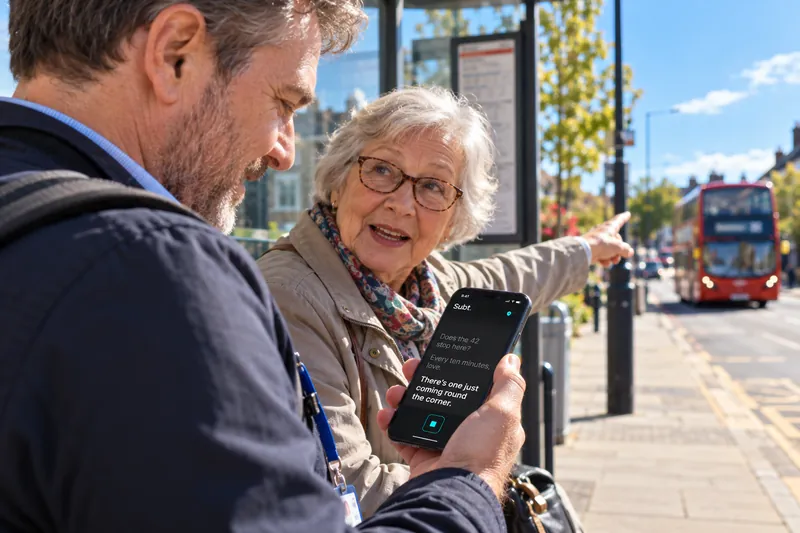
For a quick doorstep chat, captions can help. Subt is one option: open the free web app, hold your phone between you and the driver, and their words appear in large text. The web version uses your browser's speech service in Chrome, Edge or Safari; the coming £1.99 iPhone app processes captions on-device. It's for the short exchange on the step, not for phone calls. For more choices, see the best free live caption apps.
9. How do I stay safe with unexpected callers?
Not every knock is a delivery. Your doorbell alert tells you someone's there; it doesn't tell you who.
Avon and Somerset Police advice includes:
- if you're not sure who is at your door, don't open it or let anyone in
- put the chain on before you open the door; a video doorbell or viewer helps you check first
- always ask to see ID, and check it by calling the company using a number from an official website or bill, never one the caller gives you
- genuine callers won't mind making an appointment
If a caller is hard to understand, you don't have to keep trying. Close the door and ask them to write to you. If you feel threatened, contact 999. If you can't use a voice call, Relay UK explains how to dial 18000 through the Relay UK app or a textphone, or use emergencySMS. For emergencySMS you must register your mobile first, by texting "register" to 999, so do it now rather than when you need it.
Quick answers
What's the best doorbell for a deaf person?
It depends where you are when the bell rings. Flashing receivers work well if you stay in a few rooms; a vibrating pager or a video doorbell that alerts your phone goes everywhere with you.
Will couriers text instead of calling if I'm deaf?
Many will if you ask clearly in your delivery note and choose text or app updates. Not all drivers read notes, so pair it with a doorbell you'll notice or a safe place.
Can I get a flashing doorbell free?
Possibly. Ask your local council's sensory support or adult social care team for an assessment. In England, equipment is provided free if you're assessed as needing it.